🛰️ Starlink Status Monitor
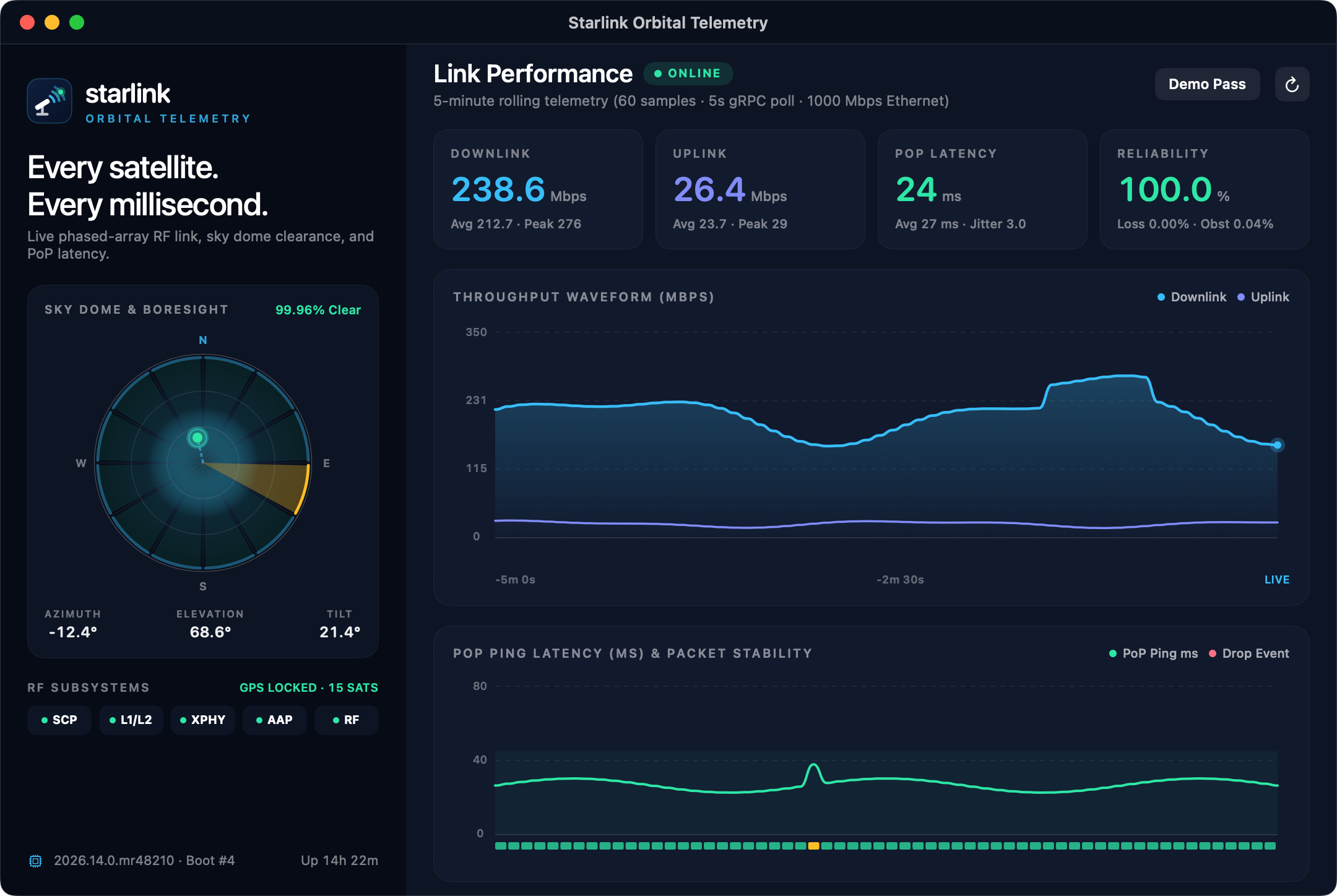
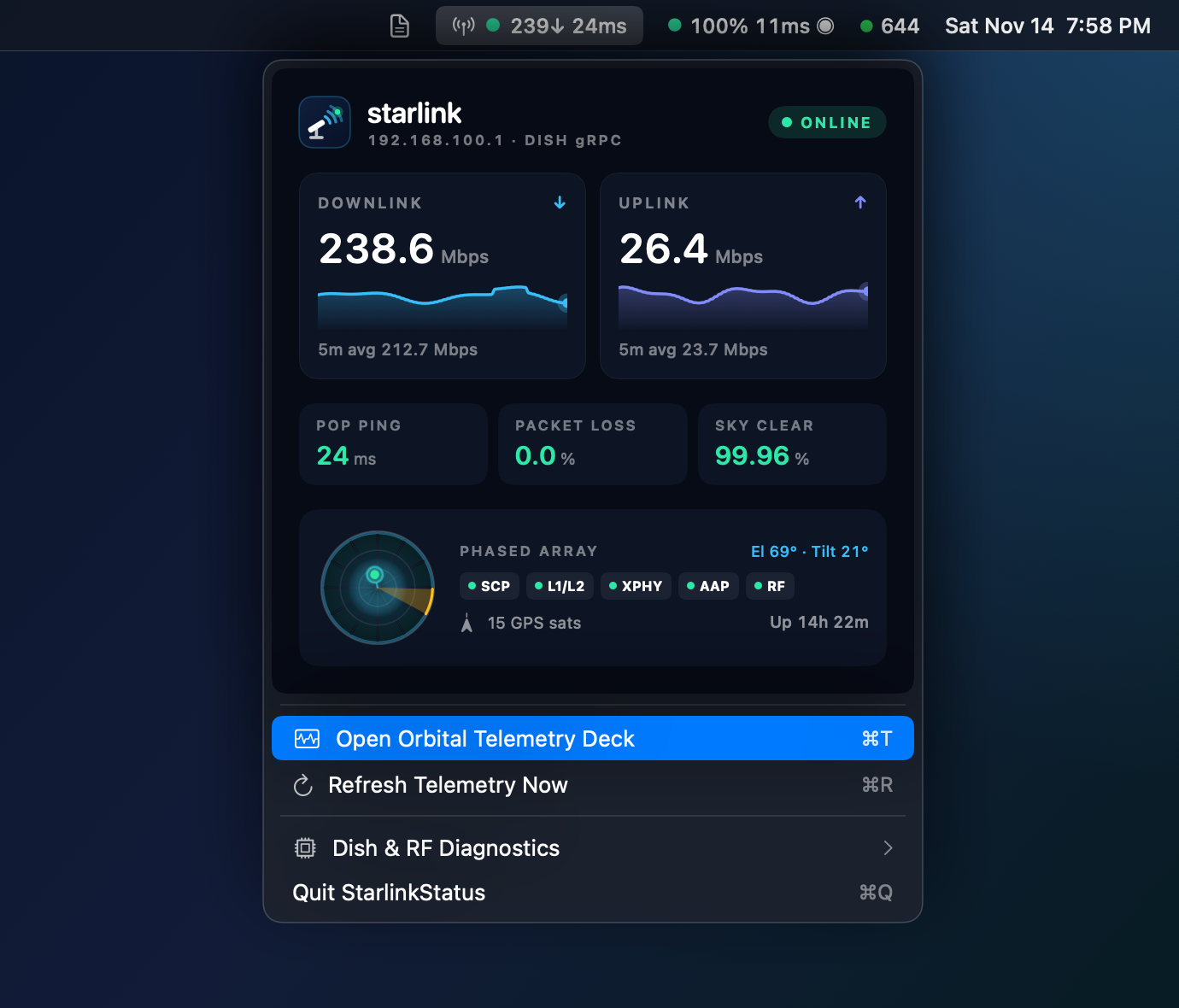
A macOS menu bar & desktop orbital telemetry suite (ai.thefocus.starlinkstatus) for real-time Starlink phased-array performance, 360° sky dome obstruction radar, and rolling link waveforms — all in one Swift file.
Quick Start
Prebuilt Universal .app
Download StarlinkStatus-<version>.zip from GitHub Releases, install grpcurl (brew install grpcurl), move StarlinkStatus.app to /Applications, and clear Gatekeeper quarantine once:
bash
brew install grpcurl
xattr -dr com.apple.quarantine /Applications/StarlinkStatus.app
open /Applications/StarlinkStatus.app
Run or Build from Source
bash
# Install grpcurl dependency for local dish gRPC queries
brew install grpcurl

# Run directly as a Swift script
chmod +x starlinkstatus.swift
./starlinkstatus.swift

# Preview live simulated LEO satellite pass without a local dish
./starlinkstatus.swift --demo --show-telemetry

# Build standalone universal StarlinkStatus.app (arm64 + x86_64)
./build.sh
open StarlinkStatus.app

# Headless CLI inspection & 2x Retina screenshot rendering
./StarlinkStatus.app/Contents/MacOS/StarlinkStatus --version
./StarlinkStatus.app/Contents/MacOS/StarlinkStatus --dump-menu --demo
./StarlinkStatus.app/Contents/MacOS/StarlinkStatus --render-screenshots ../public/screenshots
Features
- Embedded Orbital Menu Dashboard — Click the status bar item (
● 239↓ 24ms) to inspect dual Downlink & Uplink sparklines, PoP ping latency, packet loss, sky clearance, mini Sky Dome radar, and 5 phased-array RF subsystem indicators (SCP,L1/L2,XPHY,AAP,RF). - Orbital Telemetry Deck (
⌘T) — Full companion dark desktop console featuring high-resolution 5-minute Downlink/Uplink waveforms, PoP latency & per-sample stability ticks, and hardware diagnostics. - 360° Polar Sky Dome & Boresight Radar — Plots all 12 directional
wedgeFractionObstructedsky sectors alongside live dish azimuth, elevation, desired target ring, and tilt angle. - Live Simulated Pass (
--demoor⌘D) — Toggle realistic LEO satellite telemetry anytime to test or showcase the interface away from your Starlink router. - Smart State Notifications — macOS notifications when your dish transitions between booting, online, and offline.
- Apple Silicon & Intel Ready — Universal binary resolving
grpcurlacross/opt/homebrew/bin,/usr/local/bin, andPATH.
Requirements
- macOS 12.0+ (
Montereyor newer) - Starlink dish/router reachable at
192.168.100.1:9200(or--demomode) grpcurl(brew install grpcurl)